

What is this feature?
Help organizations better organize and distinguish between apps in their Playlab workspaces based on development status. This feature allows you to categorize your apps by different status designations to clearly indicate their stage in the development lifecycle.Rationale for the feature
Users looking at a workspace full of apps don’t have a clear idea of which apps are complete and ready to be used and which are half baked or still in progress. This feature provides visual cues and filtering capabilities to help teams better understand the status of each app in their workspace. As you build more apps, organization becomes essential. This feature helps you manage your growing collection of Playlab apps by clearly identifying their current development stage.Status Designations
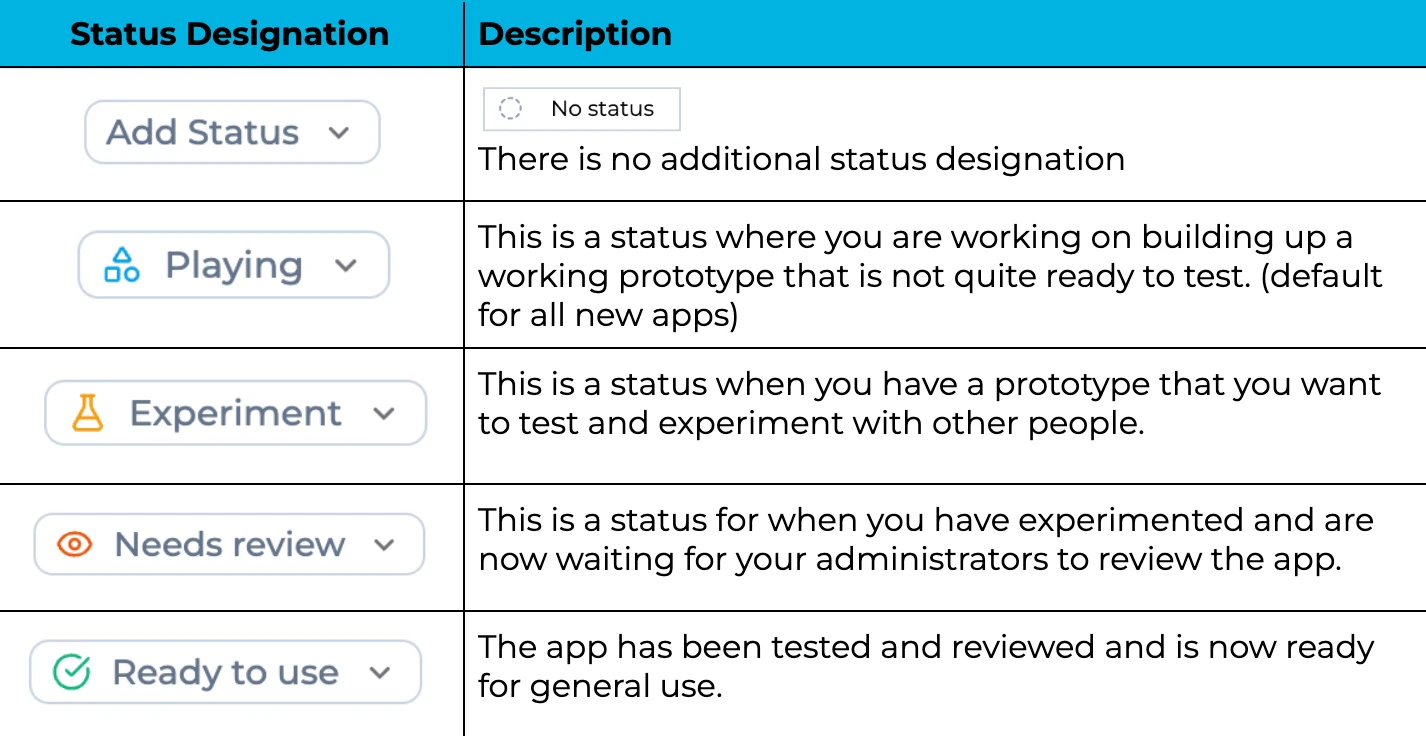
Workspace Before & After
Workspace before organizing by status:
My team and I have built a bunch of Playlab apps. It’s getting hard to figure out the status of each of our apps.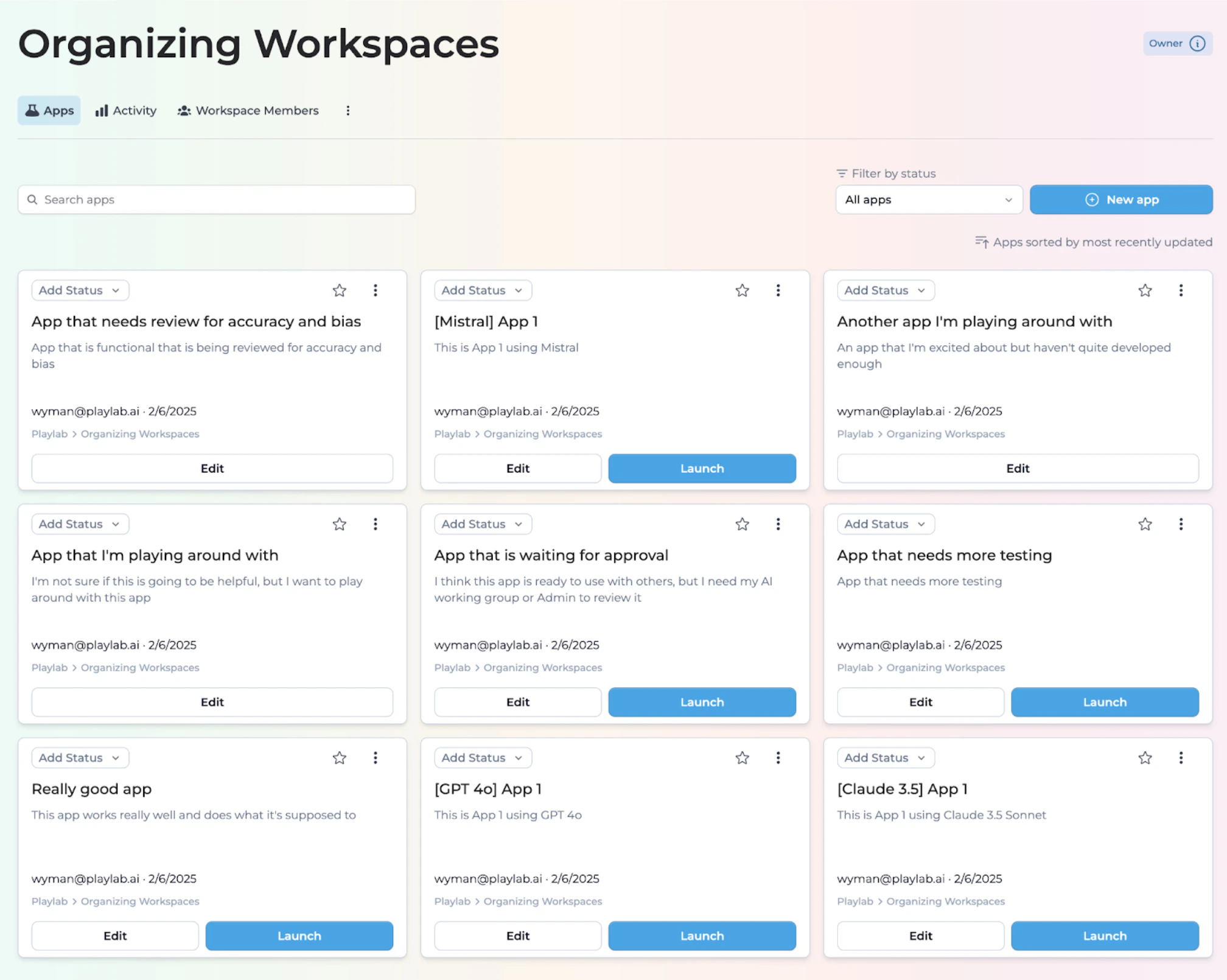
- As a user I don’t know which apps are ready to use and which ones are finished, just started, or need additional support.
- As a creator I’m having a hard time keeping track of which apps I’m playing with and which apps I want to test.
- As an administrator I’m having a hard time figuring out what to review, and what to share out with others as a finished product.
Workspace after organizing by status:
My team and I have built a bunch of Playlab apps. We are going to use this feature to help sort our apps into appropriate statuses.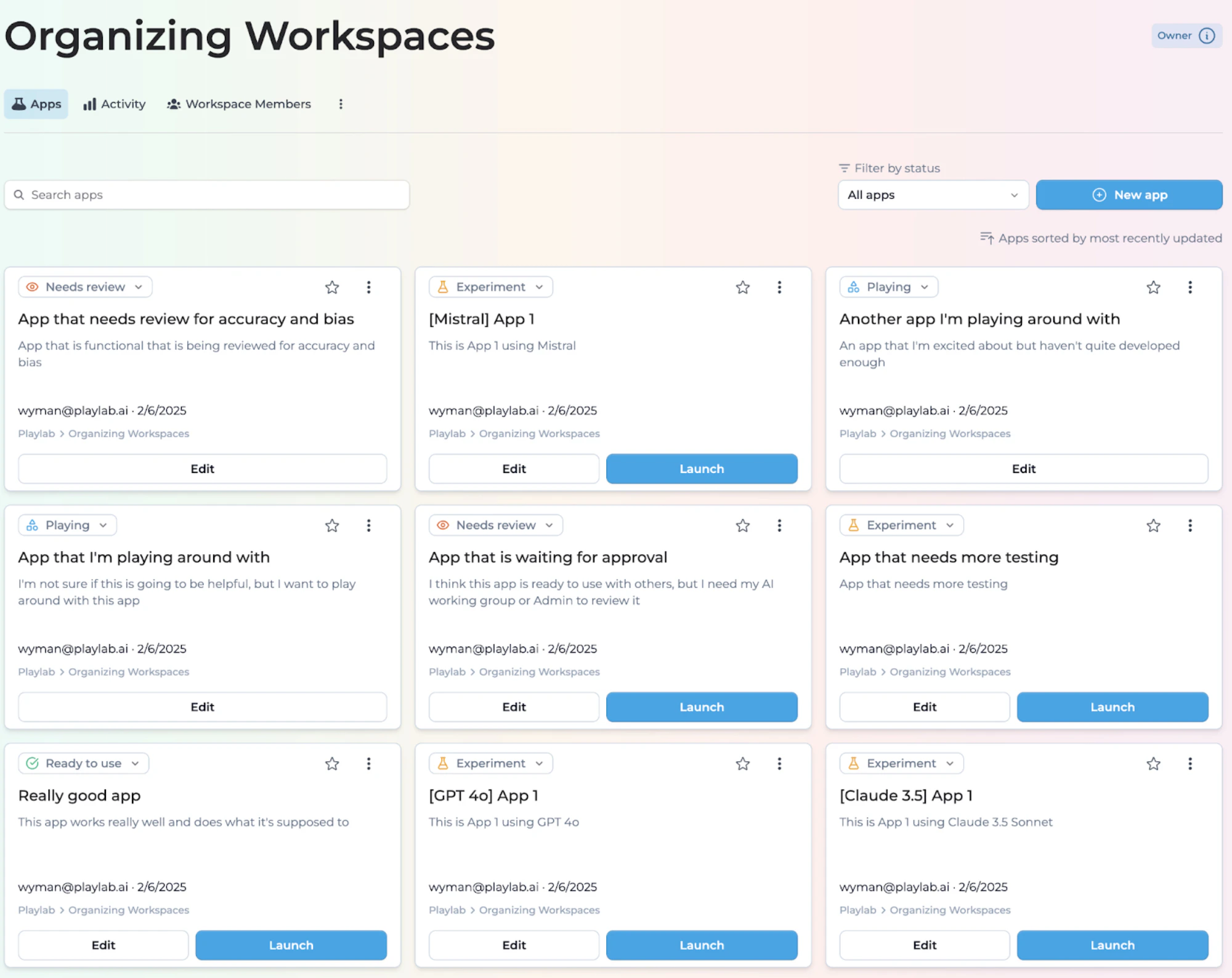
- As a user I now know that apps marked Ready to use are good to go.
- As a creator I can clearly identify which apps are in Play status and which Experiment apps need to be tested more.
- As an administrator I can see which apps are being experimented with, what people are playing with, and what apps I need to review.
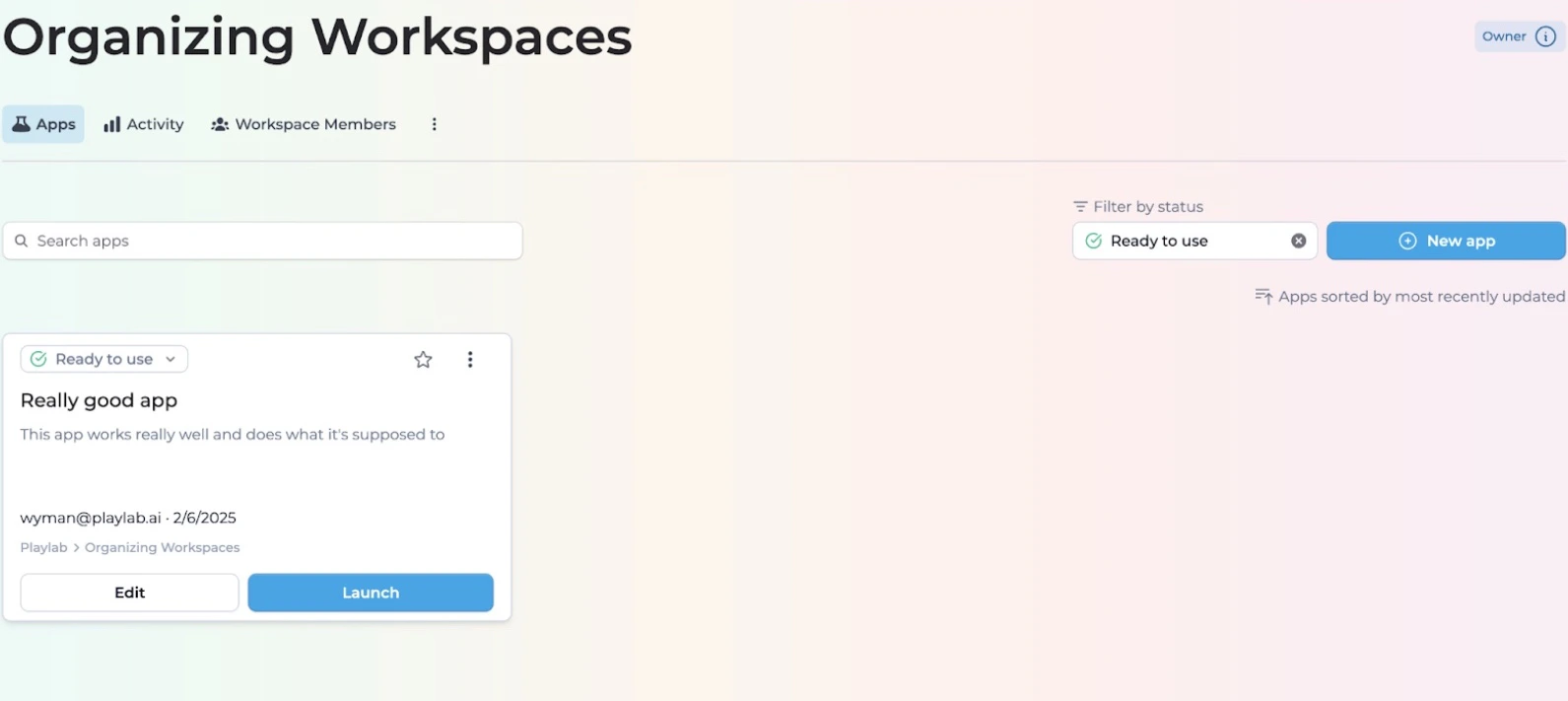
Filtering by Status
You can filter your apps by status type. This will allow you to streamline your workspace, organize your apps, and focus on a certain set of apps.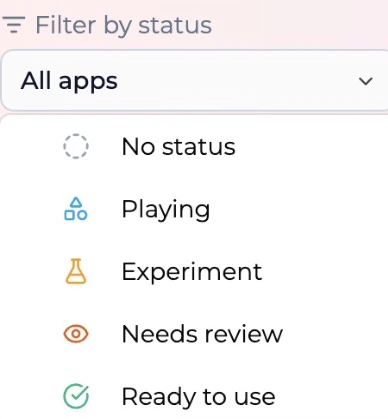
Tips for Using App Status
Best Practices
Remember status defaults
Remember status defaults
All apps default to Playing when first created or remixed.
Status is fluid
Status is fluid
Statuses are fluid. You can change the status of an app at any time as it progresses through development.
Legacy apps
Legacy apps
Apps made before this release will not have any accompanying status.
Publishing considerations
Publishing considerations
Publish apps that you are Experimenting with or In Review with folks who you want to have access to. Don’t publish to the public if it’s not Ready to use.
Version management
Version management
If you’ve tested many versions of the same app and ultimately decide one is the best one, you might want to archive versions you do not intend on using.
FAQ
Who can change an app's status?
Who can change an app's status?
Only administrators, workspace owners, and app creators can designate app status.
How do I change an app's status?
How do I change an app's status?
Navigate to the app settings and select the appropriate status from the dropdown menu.
Will changing status affect how my app functions?
Will changing status affect how my app functions?
No, changing the status of an app is purely organizational and doesn’t affect its functionality.
Can I have different status designations for the same app in different workspaces?
Can I have different status designations for the same app in different workspaces?
No, an app’s status is consistent across all workspaces where it appears.
We Want Your Feedback!
Have you tried organizing your workspace with status designations? We’d love to hear about your experience!Contact us at support@playlab.ai
Related
Organizing Workspaces
Looking for strategies on how to organize your workspaces by subject, grade, or role? Check out the Organizing Workspaces guide.
Last updated: March 15, 2026